Each category comes with its own set of pre-populated requirements. A requirement is a question or instruction that an accountant needs a client to respond to, so their tax return can be processed and lodged.
Clients work through the requirements assigned to them at their own pace, and accountants can keep track of their progress via the Clients Dashboard.
To edit a requirement click the pencil icon.

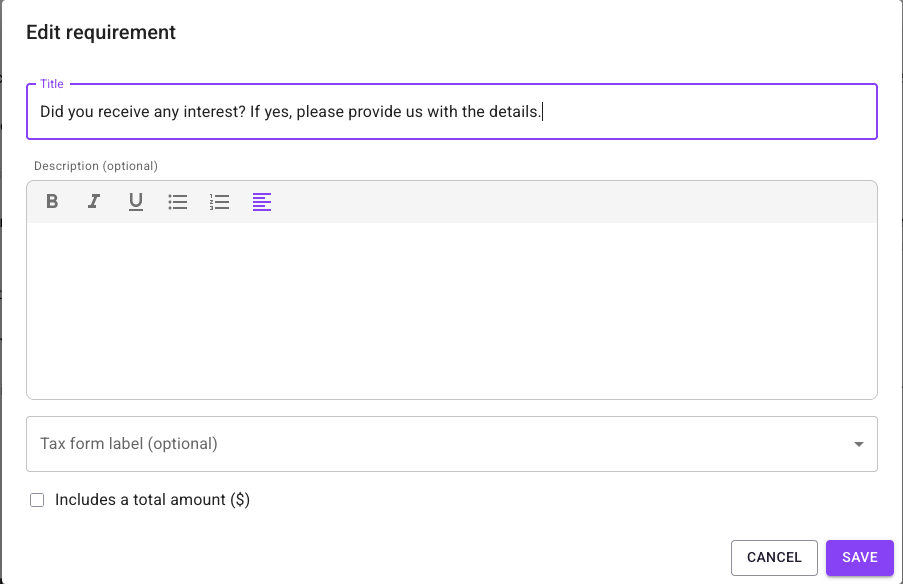
In the Edit requirement popup you can change the text of the Title field, and you can also add a description text in the description field.
The description field supports some simple text formatting – bold, italic, underline, as well as bulleted and numbered lists.
Below the Description field you’ll find the “Tax form label”. Tax form labels are what you see on the ATO tax return – you can specify that a requirement relates to that part of the form by selecting the appropriate label from the dropdown.
On addition there is a checkbox that creates a total amount field on the requirement. Clients or accountants can include a $ amount in the requirement when they work on it, and accountants can use those totals when they complete and lodge the client’s return.
Click “Save” to save your edits and close the window. Clicking “Cancel” will close the window without saving your edits.
Please note that any changes you make to requirements in the Catalogue will not also change the same requirements for clients that already have these in their existing pages.
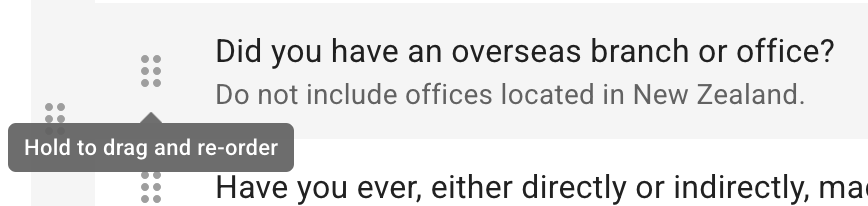
The order of requirements in a category can be changed – click and hold the 6 dots to the left of a requirement title and drag it to the position you want it to be in the list. Note that a requirement cannot be moved to a different category.